


Published on September 16, 2026
By Kathy Leth
Introducing Cricket 5G Home Internet
Looking for a simpler way to get home internet? Meet Cricket 5G Home Internet. With straightforward pricing, quick self-setup, and dependable service on the AT&T network, it's easy to get connected and stay connected. Whether you're helping with homework, streaming movie night favorites, joining a video call, or gaming with friends, Cricket 5G Home Internet helps keep up with everyday life.
What is Cricket 5G Home Internet?
Cricket 5G Home Internet is a new, simple wireless service that provides fast, reliable home internet service by connecting wirelessly to our 5G network. Cricket 5G Home Internet makes it easy to connect the phones, laptops, TVs, tablets, and smart devices your household relies on every day.
Why choose Cricket 5G Home Internet?
Cricket 5G Home Internet offers a simpler way to get online without complicated installation appointments or long-term commitments. Cricket 5G Home Internet was designed with simplicity in mind and offers transparent, affordable pricing on all plans.
Here's what you get:
- Straightforward monthly pricing with taxes included
- Quick self-setup with no technician visit required
- No annual contract, giving you more flexibility
- Savings when you bundle with any Cricket wireless plan
5G not available in all areas; check address at cricketwireless.com/map. Actual speeds may vary based on your location and network conditions. In rare cases, if your usage is contributing to congestion on the network, Cricket will reduce your speed for a min. of 30 min.
Does Cricket 5G Home Internet have hidden fees?
No, there are no hidden fees with Cricket 5G Home Internet. All taxes are included in your monthly price. Cricket Wireless customers can save when they bundle Cricket 5G Home Internet with their existing wireless service.
| Your services | Auto Pay | Monthly price |
|---|---|---|
| Any Cricket wireless plan | Yes | $45/mo. beginning in month two |
| Any Cricket wireless plan | No | $50/mo. |
| No Cricket wireless plan | Yes | $60/mo. beginning in month two |
| No Cricket wireless plan | No | $65/mo. |
Do I need an annual contract to get Cricket 5G Home Internet?
No, you don’t need an annual contract to get Cricket 5G Home Internet. Things change. Maybe you're moving, adjusting your budget, or simply want more flexibility. That's why Cricket 5G Home Internet comes without an annual contract. You get the service you need with the freedom you want.
How does Cricket 5G Home Internet work?
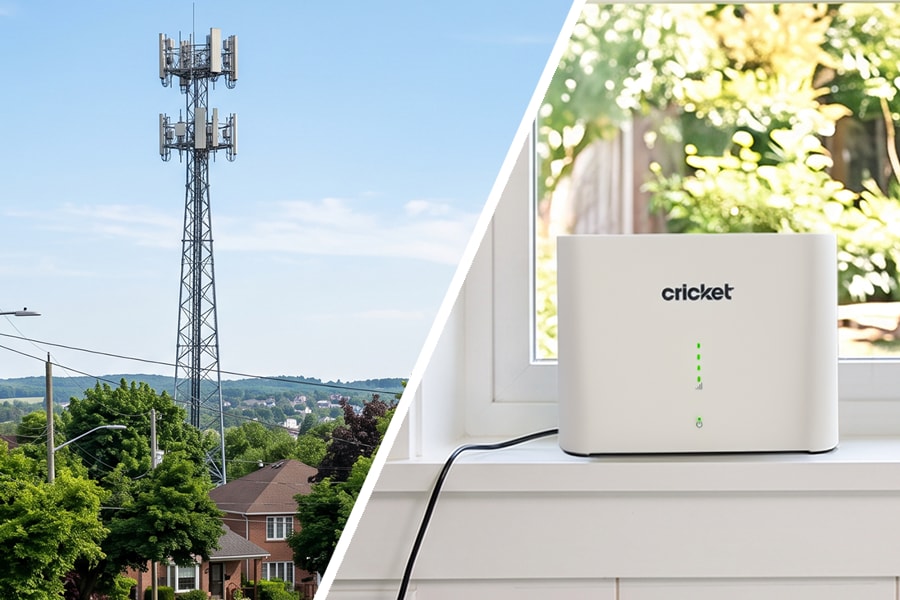
Cricket 5G Home Internet delivers a wireless internet signal to a gateway inside your home. The gateway then creates a Wi-Fi network that your compatible devices can connect to. The best part? There are no separate modems, routers, or complicated wiring to manage. Just one device delivers Wi-Fi throughout your home.
Once your gateway is set up, connect your devices and go. Cricket 5G Home Internet supports everyday household activities, including:
- Streaming your favorite shows and movies - Watch TV series, movies, live sports and other streaming content on compatible devices throughout your home
- Online gaming - Stay connected while gaming online, whether you're playing solo or with friends and family
- Powering your home office - Collaborate with coworkers, attend virtual meetings and stay up to date on all your emails
- Online shopping - Make purchases, pay your bills, schedule appointments for your family and take care of everyday responsibilities from home.
Plus, you can connect to multiple devices at the same time, which makes Cricket 5G Home Internet a perfect choice for your family.
What is a gateway?
A gateway is the device that receives the wireless internet connection and creates your home's Wi-Fi network.
Will I have to pay monthly rental fees for my gateway?
No, with Cricket 5G Home Internet there are no monthly equipment rental fees. There’s only a one-time purchase price of $49.99.
How do I set up and activate Cricket 5G Home Internet?
Getting your Cricket 5G Home Internet up and running is easy. After you receive your gateway, simply follow the steps below. The myCricket Internet App walks you through every step to get you online in minutes.
- Step 1: Download the myCricket Internet App
- Step 2: Scan the QR code on your gateway
- Step 3: Follow the guided instructions
- Step 4: Connect your devices
TIP: Keep your gateway in the location recommended during setup. Performance can depend on placement and network conditions, so follow the placement instructions in the app for the best experience.
Is Cricket 5G Home Internet for you?
Wireless home internet may be a great option if:
- You want an alternative to traditional wired internet service
- You prefer a quick self-setup experience
- You need flexibility to change plans
- You connect multiple devices throughout your household
- You want to bundle home internet and wireless service for additional savings
If that sounds like your household, Cricket 5G Home Internet may be worth considering.
Before signing up, consider:
- Whether Cricket 5G Home Internet is available at your address
- How many people and devices regularly use your home internet
- The types of online activities your household relies on
- Whether you already have, or want to add, a Cricket wireless plan
How do I switch to Cricket 5G Home Internet?
Thinking about making a change? Getting started with Cricket 5G Home Internet is simple.
- Check whether service is available at your address.
- Visit a Cricket Wireless store.
- Choose the plan that's right for you.
Set up your gateway at home through the myCricket Internet App.
How can I add Cricket 5G Home Internet to my Cricket Wireless service?
Already part of Cricket? Good news. You can add Cricket 5G Home Internet and start saving right away. Visit a Cricket store to learn more.
Get connected with Cricket 5G Home Internet
Home internet shouldn't be complicated. Cricket 5G Home Internet gives you an easier way to get online and stay connected to what matters most.
Check availability at your address and see how simple home internet can be.
Frequently Asked Questions
Does Cricket Wireless offer home internet service?
Yes. Cricket 5G Home Internet is available with reliable service on the AT&T network.
What makes Cricket 5G Home Internet different?
Cricket 5G Home Internet offers straightforward pricing, simple self-setup, no annual contract, and reliable service on the AT&T network.
Is Cricket 5G Home Internet available in my area?
Availability depends on your address. Check online or visit a Cricket Wireless store to see if service is available where you live.
Is Cricket 5G Home Internet good for streaming?
Yes. Cricket 5G Home Internet supports streaming across multiple connected devices in your home.
Is Cricket 5G Home Internet good for gaming?
Yes. Cricket 5G Home Internet supports online gaming and multiple connected devices at the same time.
Is Cricket 5G Home Internet good for working from home?
Yes. Video meetings, file sharing, cloud applications, and everyday productivity tasks are supported through Cricket 5G Home Internet.
Can I get home internet without a contract?
Yes. There are no annual contracts with Cricket 5G Home Internet, so you can enjoy reliable home internet without a long-term commitment.
How do I set up Cricket 5G Home Internet?
Download the myCricket Internet App and follow the guided setup instructions to get connected in minutes.